
K9Boss Game Download – APK, Login & Register Guide
Just Now
15MB
V1.3
Android7+
10k
Description
K9Boss Game is a name users may search for when looking for an online gaming platform on Android. People usually want to know how to get the app, create an account, log in, and use account features.
This guide explains the basic steps in simple English. It also covers downloads, registration, login, payments, bonuses, and safety. Some details about K9Boss could not be independently verified from reliable public sources, so they are clearly marked instead of being presented as facts.
What Is K9Boss Game?
K9Boss Game refers to an online gaming platform that users may look for through Android devices. The exact services and game list can change over time.
Before downloading any APK, users should check the source carefully. An APK file from an unknown website can carry security risks. It is better to use a verified source whenever one is available.
There is also no reliable public source I found that confirms the current K9Boss version, file size, or Android requirement. These details should be checked from the actual app or its verified website.
777Aone Game & 777VH Game & 7Z Game
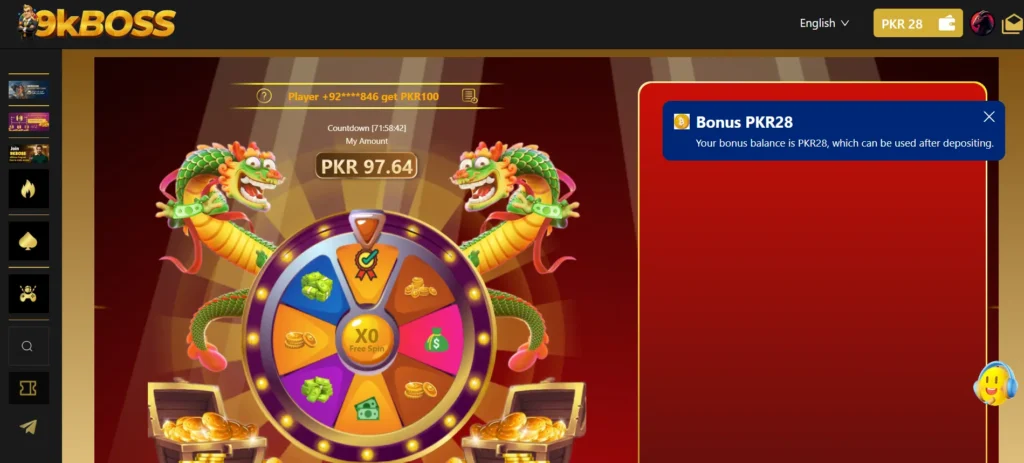
K9Boss App Details
- App Name: K9Boss Game
- Platform: Android may be supported, but current compatibility should be checked
- APK: Availability should be confirmed from the official source
- Version: Not independently verified
- File Size: Not independently verified
- Android Requirement: Not independently verified
- Category: Online gaming
- Registration: Account registration may be required
- Last Updated: Check the current app or official source
K9Boss Game Download
If you are searching for K9Boss Game Download, first make sure that the file comes from a trusted source.
Do not download a random APK just because the page says it is the latest version. Check the app name, website address, file information, and permissions before installing anything.
A safe download process should look like this:
- Find the verified K9Boss source.
- Check that the app name is correct.
- Download the available Android APK if officially provided.
- Wait for the file to finish.
- Scan the file with your device security tools.
- Install it only when you are satisfied with the source.
If no verified download source is available, it is better to wait rather than use an unknown APK.
How to Install K9Boss APK
After downloading an APK, the installation process on Android is normally simple.
- Open your phone’s Downloads folder.
- Find the K9Boss APK file.
- Tap the file.
- Follow the Android installation instructions.
- Open the app after installation.
- Check the app name and publisher before entering account details.
Android may ask for permission to install apps from outside the Play Store. Do not enable this setting for an unknown file without first checking its source.
How to Register on K9Boss
New users normally need to create an account before using account-based features.
If a Register or Sign Up button is available, open it and enter the requested details.
You may be asked for information such as:
- Mobile number
- Password
- Verification code
- Other account details
Use a strong password that you do not use on other websites.
The exact K9Boss registration fields could not be independently confirmed, so the form shown in the current app should be treated as the source for the latest requirements.
K9Boss Login
Existing users can look for the Login button on the app or website.
Enter the correct account details and complete any verification step shown on the screen.
If you cannot log in, check your mobile number and password first. Avoid sharing your password with another person.
For a forgotten password, use the recovery option provided by the platform if one is available.
Main Features
The exact current feature list for K9Boss could not be verified from a reliable official source. However, users searching for this platform are generally interested in account access, gaming sections, wallet functions, and payment options.
Before using any feature, check the rules displayed inside the current app.
Pay special attention to:
- Account rules
- Age requirements
- Wallet balance
- Deposit limits
- Withdrawal conditions
- Bonus terms
- Verification requests
This helps you understand the service before putting money into an account.
K9Boss Games
The available games should be checked directly inside the current K9Boss platform.
Game menus can change, and a game mentioned on an old website may no longer be available. For this reason, it would not be accurate to give a fixed list without a verified current source.
Users should also remember that games based on chance can result in financial loss.
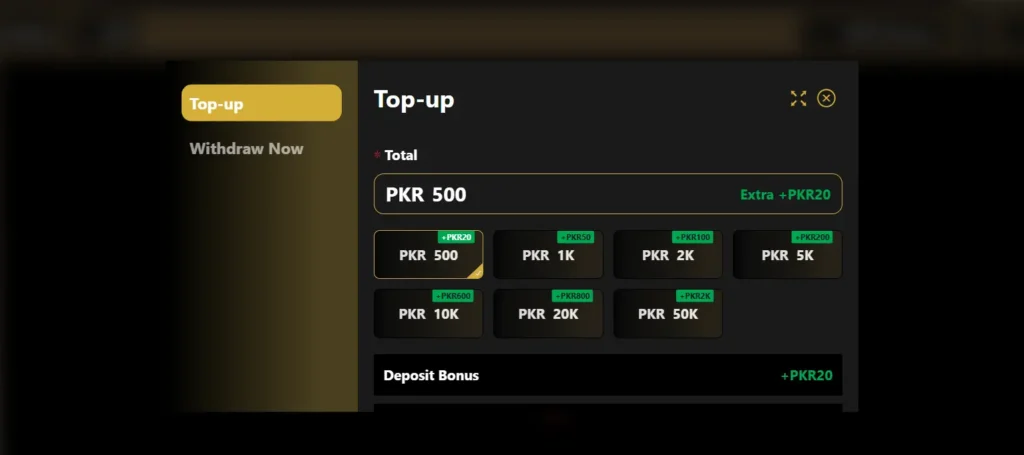
K9Boss Deposit
If the platform provides a deposit option, open the wallet or payment section after logging in.
Before making a payment:
- Check the minimum and maximum amount.
- Read the payment instructions.
- Confirm the account or wallet details.
- Check for any service charges.
- Confirm the transaction only after reviewing the details.
I could not independently verify the current K9Boss payment methods, so methods such as Easypaisa, JazzCash, bank transfer, or other wallets should not be assumed to be officially supported unless they are shown in the current platform.
K9Boss Withdrawal
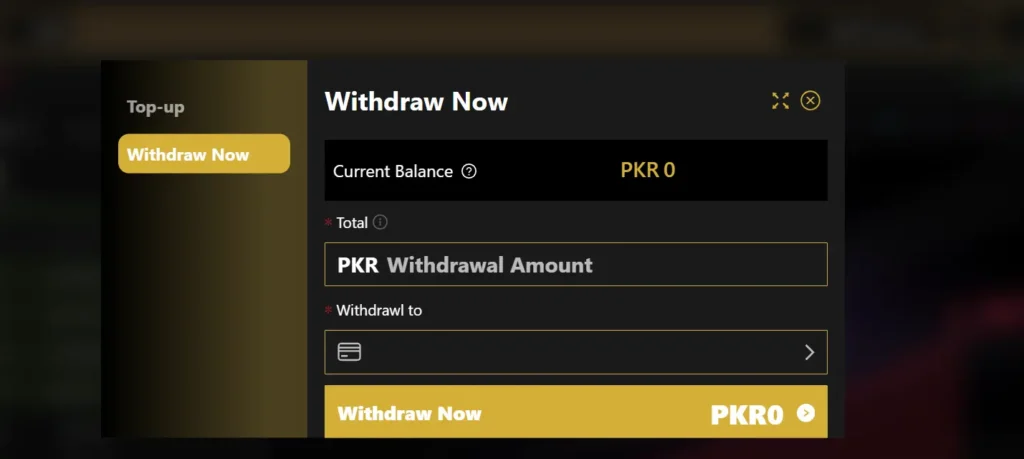
A withdrawal normally starts from the wallet or account section.
A typical process may involve:
- Open the withdrawal area.
- Enter the required amount.
- Select an available payment method.
- Enter the requested account details.
- Complete verification if required.
- Submit the request.
- Check the transaction status.
The actual withdrawal rules, minimum amount, processing time, and available methods should be checked inside the current platform.
Do not believe claims of guaranteed or instant withdrawals without reliable evidence.
Bonuses and Promotions
K9Boss may display promotional offers, but current bonus details could not be independently verified.
Always read the full terms before accepting an offer.
Look for:
- Minimum deposit rules
- Wagering requirements
- Expiry dates
- Eligible games
- Maximum bonus limits
- Withdrawal restrictions
A bonus is not the same as free money. Conditions can affect how promotional funds are used or withdrawn.
Is K9Boss Safe?
Safety is one of the most important points when using an APK or online gaming platform.
I could not independently verify enough reliable information to call K9Boss 100% safe. Users should therefore check the platform themselves before creating an account or making a payment.
Keep these points in mind:
- Download APK files only from trusted sources.
- Check app permissions before installation.
- Never share your password or verification code.
- Use a unique password.
- Check the website address carefully.
- Read payment and withdrawal rules.
- Do not deposit money you cannot afford to lose.
- Be careful with websites making guaranteed earning claims.
There are financial risks with real-money gaming. Winning is not guaranteed.
Pros and Cons
Pros
- Simple account access may be available.
- Android users may look for an APK version.
- Account and wallet features may be available.
- Users can check the platform directly before using it.
Cons
- Current app details are not independently verified.
- APK files from unknown sources can create security risks.
- Payment rules may change.
- Bonus terms may have conditions.
- Real-money gaming can cause financial loss.
Responsible Gaming
Online games involving money should be used carefully.
Set a spending limit before you start. Do not borrow money to play. Do not chase losses after losing a game.
If gaming starts affecting your daily life, finances, work, or family time, stop and seek help.
Also check the laws and age rules that apply where you live before using any real-money gaming service.
7. FAQs
How do I download K9Boss Game?
Look for a verified K9Boss source and check the APK details before downloading. Avoid random APK websites that cannot be trusted.
How do I register on K9Boss?
Open the registration page or app and follow the sign-up form. The exact information required can change, so follow the current instructions shown by the platform.
How do I login to K9Boss?
Open the login page, enter your registered details, and complete any verification step shown.
Is K9Boss available on Android?
K9Boss is commonly searched with Android APK terms, but I could not independently verify the current official Android version or compatibility requirements.
How does K9Boss withdrawal work?
If withdrawals are available, users can normally find them in the wallet or account section. The current minimum amount, payment methods, and processing rules should be checked inside the platform.
Is K9Boss safe?
Its current safety status could not be independently verified from a reliable official source. Check the APK source, permissions, website address, account security, and payment rules before using it.
Does K9Boss guarantee earnings?
No gaming platform should be treated as a source of guaranteed earnings. Games involving chance can result in losses.
Should I install a K9Boss APK from an unknown website?
It is better not to install an APK from an unknown or untrusted source. A malicious APK can create security and privacy problems.
Final Words
K9Boss Game is mainly searched by users who want information about its Android access, APK, registration, login, games, and payment features. The safest approach is to verify current information from the platform itself before downloading or depositing money.
Some K9Boss details, including the current APK version, file size, payment methods, and bonus terms, could not be independently verified. Availability may change, so check the latest information inside the app or from a verified source.
Download links
How to install K9Boss Game Download – APK, Login & Register Guide APK?
1. Tap the downloaded K9Boss Game Download – APK, Login & Register Guide APK file.
2. Touch install.
3. Follow the steps on the screen.